Dealership Boss 1.0


![Native Mod Menu [ASI] (Enhanced)](https://img.gta5-mods.com/q75-w500-h333-cfill/images/native-mod-menu-asi-enhanced-nativecoder/741d47-NMM_IMG.png "Native Mod Menu [ASI] (Enhanced)")


232
4
232
4
Dealership Boss
Author: Abrar20
Clarification:
This mod was originally made as my personal GTA V mod. I built it because I wanted a more alive dealership system where the player can manage cars, buyers, staff, sales, security, and dealership activity in-game. After testing it, I thought some players might also enjoy this kind of gameplay, so I decided to share it publicly for anyone who wants to experience the mod I created.
About This Mod:
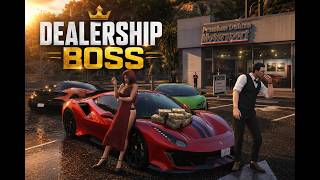
Dealership Boss is a GTA V ScriptHookVDotNet mod that lets you create and manage your own vehicle dealership directly inside the game. You can set up a dealer location, register vehicles as stock, save their position and modifications, hire staff, handle buyers, negotiate deals, manage company cash, and deal with random dealership events such as thieves and police response.
The goal of this mod is to make the dealership feel alive, not just as a simple vehicle spawner. Buyers can walk around, inspect cars, talk with staff, negotiate offers, and drive away after purchasing a vehicle. Staff members such as salesmen, managers, security, and mechanics help make the dealership feel more active and realistic.
Main Features:
- Create your own dealership location anywhere in the game world.
- Register current vehicles as dealership stock.
- Save vehicle position, heading, price, minimum accepted price, category, and condition.
- Save vehicle appearance and modifications, including paint, wheels, neon, extras, plate, interior, dashboard, tire smoke, window tint, and other vehicle mod data.
- Save and load dealership locations using XML files.
- Rename saved dealership location XML files directly from the in-game menu.
- Current Vehicle Stock system: when you sit inside a registered stock vehicle, the Vehicle Stock menu automatically shows that car data.
- Buyer system with multiple buyer types.
- Buyers can walk in, inspect cars, talk to staff, negotiate, accept offers, reject offers, and drive away with purchased vehicles.
- Sold vehicles are cleaned up naturally by distance from the dealership.
- Staff management system: salesmen, managers, security, and mechanics.
- Financial management: company cash, staff invoice, total sales, total profit, deposit cash, and collect cash.
- Thief event system: suspicious thieves can appear at the dealership, security can stop them, and police response can arrest the thief.
- Buyer and Deals settings: buyer flow, buyer budget, buyer patience, sold vehicle drive style, and sold vehicle drive speed.
- Recovery menu for cleaning buyers, staff, sold vehicles, stuck buyers, and dealer entities.
- Custom HUD and in-game alerts for dealership activity.
Installation:
1. Make sure you have ScriptHookV installed.
2. Make sure you have ScriptHookVDotNet installed.
3. Put the mod file into your GTA V scripts folder:
GTA V/scripts/DealershipBoss.cs
4. Start GTA V.
5. Press NumPad1 in-game to open the Dealership Boss menu.
6. If you do not have a scripts folder, create one inside your main GTA V directory.
How To Start:
1. Open the menu with NumPad1.
2. Go to Dealer Setup.
3. Select Set Dealer Location Here.
4. Enter a vehicle you want to sell.
5. Go to Vehicle Stock.
6. Select Register Current Vehicle.
7. Set the price, minimum accept price, vehicle type, and name if needed.
8. Register more cars if you want a full dealership.
9. Go to Save and Load and save your dealer location.
10. Go to Dealer Control and open the dealership.
11. Buyers and staff will start working around the dealership.
Controls:
- NumPad1: Open or close menu
- Arrow Keys or NumPad keys: Navigate menu
- Enter or NumPad5: Select
- Backspace, Escape, or NumPad0: Back
- Left or Right: Change adjustable options
Important Notes:
- This mod works best when you place the dealership in an area with enough space for cars, buyers, staff, and police vehicles.
- For best results, register vehicles after parking them properly in your dealership area.
- Do not use multiple versions of DealershipBoss.cs at the same time. Keep only one active Dealership Boss script file inside your scripts folder.
- If you use heavy modded vehicles, make sure the vehicle itself is stable before registering it as stock.
- Saved dealership locations are stored as XML files, so you can manage multiple dealer setups.
Recommended Gameplay:
This mod is best played as a roleplay and business management mod. You can build a luxury showroom, used car lot, import dealership, off-road dealership, supercar dealer, or any custom dealership concept you want.
Credits and Thanks:
Created by Abrar20.
Special thanks to all GTA V developers and the GTA V modding community for making it possible for players to keep expanding and enjoying the game in new ways. Thanks to the ScriptHookV and ScriptHookVDotNet community, modders, tutorial creators, and everyone who keeps GTA V modding alive.
Author: Abrar20
Clarification:
This mod was originally made as my personal GTA V mod. I built it because I wanted a more alive dealership system where the player can manage cars, buyers, staff, sales, security, and dealership activity in-game. After testing it, I thought some players might also enjoy this kind of gameplay, so I decided to share it publicly for anyone who wants to experience the mod I created.
About This Mod:
Dealership Boss is a GTA V ScriptHookVDotNet mod that lets you create and manage your own vehicle dealership directly inside the game. You can set up a dealer location, register vehicles as stock, save their position and modifications, hire staff, handle buyers, negotiate deals, manage company cash, and deal with random dealership events such as thieves and police response.
The goal of this mod is to make the dealership feel alive, not just as a simple vehicle spawner. Buyers can walk around, inspect cars, talk with staff, negotiate offers, and drive away after purchasing a vehicle. Staff members such as salesmen, managers, security, and mechanics help make the dealership feel more active and realistic.
Main Features:
- Create your own dealership location anywhere in the game world.
- Register current vehicles as dealership stock.
- Save vehicle position, heading, price, minimum accepted price, category, and condition.
- Save vehicle appearance and modifications, including paint, wheels, neon, extras, plate, interior, dashboard, tire smoke, window tint, and other vehicle mod data.
- Save and load dealership locations using XML files.
- Rename saved dealership location XML files directly from the in-game menu.
- Current Vehicle Stock system: when you sit inside a registered stock vehicle, the Vehicle Stock menu automatically shows that car data.
- Buyer system with multiple buyer types.
- Buyers can walk in, inspect cars, talk to staff, negotiate, accept offers, reject offers, and drive away with purchased vehicles.
- Sold vehicles are cleaned up naturally by distance from the dealership.
- Staff management system: salesmen, managers, security, and mechanics.
- Financial management: company cash, staff invoice, total sales, total profit, deposit cash, and collect cash.
- Thief event system: suspicious thieves can appear at the dealership, security can stop them, and police response can arrest the thief.
- Buyer and Deals settings: buyer flow, buyer budget, buyer patience, sold vehicle drive style, and sold vehicle drive speed.
- Recovery menu for cleaning buyers, staff, sold vehicles, stuck buyers, and dealer entities.
- Custom HUD and in-game alerts for dealership activity.
Installation:
1. Make sure you have ScriptHookV installed.
2. Make sure you have ScriptHookVDotNet installed.
3. Put the mod file into your GTA V scripts folder:
GTA V/scripts/DealershipBoss.cs
4. Start GTA V.
5. Press NumPad1 in-game to open the Dealership Boss menu.
6. If you do not have a scripts folder, create one inside your main GTA V directory.
How To Start:
1. Open the menu with NumPad1.
2. Go to Dealer Setup.
3. Select Set Dealer Location Here.
4. Enter a vehicle you want to sell.
5. Go to Vehicle Stock.
6. Select Register Current Vehicle.
7. Set the price, minimum accept price, vehicle type, and name if needed.
8. Register more cars if you want a full dealership.
9. Go to Save and Load and save your dealer location.
10. Go to Dealer Control and open the dealership.
11. Buyers and staff will start working around the dealership.
Controls:
- NumPad1: Open or close menu
- Arrow Keys or NumPad keys: Navigate menu
- Enter or NumPad5: Select
- Backspace, Escape, or NumPad0: Back
- Left or Right: Change adjustable options
Important Notes:
- This mod works best when you place the dealership in an area with enough space for cars, buyers, staff, and police vehicles.
- For best results, register vehicles after parking them properly in your dealership area.
- Do not use multiple versions of DealershipBoss.cs at the same time. Keep only one active Dealership Boss script file inside your scripts folder.
- If you use heavy modded vehicles, make sure the vehicle itself is stable before registering it as stock.
- Saved dealership locations are stored as XML files, so you can manage multiple dealer setups.
Recommended Gameplay:
This mod is best played as a roleplay and business management mod. You can build a luxury showroom, used car lot, import dealership, off-road dealership, supercar dealer, or any custom dealership concept you want.
Credits and Thanks:
Created by Abrar20.
Special thanks to all GTA V developers and the GTA V modding community for making it possible for players to keep expanding and enjoying the game in new ways. Thanks to the ScriptHookV and ScriptHookVDotNet community, modders, tutorial creators, and everyone who keeps GTA V modding alive.
Първо качено на: преди 22 часа
Последно обновено на: преди 18 часа
Последно изтеглено: Преди 11 минути
4 Коментари
More mods by Abrar20:
Dealership Boss
Author: Abrar20
Clarification:
This mod was originally made as my personal GTA V mod. I built it because I wanted a more alive dealership system where the player can manage cars, buyers, staff, sales, security, and dealership activity in-game. After testing it, I thought some players might also enjoy this kind of gameplay, so I decided to share it publicly for anyone who wants to experience the mod I created.
About This Mod:
Dealership Boss is a GTA V ScriptHookVDotNet mod that lets you create and manage your own vehicle dealership directly inside the game. You can set up a dealer location, register vehicles as stock, save their position and modifications, hire staff, handle buyers, negotiate deals, manage company cash, and deal with random dealership events such as thieves and police response.
The goal of this mod is to make the dealership feel alive, not just as a simple vehicle spawner. Buyers can walk around, inspect cars, talk with staff, negotiate offers, and drive away after purchasing a vehicle. Staff members such as salesmen, managers, security, and mechanics help make the dealership feel more active and realistic.
Main Features:
- Create your own dealership location anywhere in the game world.
- Register current vehicles as dealership stock.
- Save vehicle position, heading, price, minimum accepted price, category, and condition.
- Save vehicle appearance and modifications, including paint, wheels, neon, extras, plate, interior, dashboard, tire smoke, window tint, and other vehicle mod data.
- Save and load dealership locations using XML files.
- Rename saved dealership location XML files directly from the in-game menu.
- Current Vehicle Stock system: when you sit inside a registered stock vehicle, the Vehicle Stock menu automatically shows that car data.
- Buyer system with multiple buyer types.
- Buyers can walk in, inspect cars, talk to staff, negotiate, accept offers, reject offers, and drive away with purchased vehicles.
- Sold vehicles are cleaned up naturally by distance from the dealership.
- Staff management system: salesmen, managers, security, and mechanics.
- Financial management: company cash, staff invoice, total sales, total profit, deposit cash, and collect cash.
- Thief event system: suspicious thieves can appear at the dealership, security can stop them, and police response can arrest the thief.
- Buyer and Deals settings: buyer flow, buyer budget, buyer patience, sold vehicle drive style, and sold vehicle drive speed.
- Recovery menu for cleaning buyers, staff, sold vehicles, stuck buyers, and dealer entities.
- Custom HUD and in-game alerts for dealership activity.
Installation:
1. Make sure you have ScriptHookV installed.
2. Make sure you have ScriptHookVDotNet installed.
3. Put the mod file into your GTA V scripts folder:
GTA V/scripts/DealershipBoss.cs
4. Start GTA V.
5. Press NumPad1 in-game to open the Dealership Boss menu.
6. If you do not have a scripts folder, create one inside your main GTA V directory.
How To Start:
1. Open the menu with NumPad1.
2. Go to Dealer Setup.
3. Select Set Dealer Location Here.
4. Enter a vehicle you want to sell.
5. Go to Vehicle Stock.
6. Select Register Current Vehicle.
7. Set the price, minimum accept price, vehicle type, and name if needed.
8. Register more cars if you want a full dealership.
9. Go to Save and Load and save your dealer location.
10. Go to Dealer Control and open the dealership.
11. Buyers and staff will start working around the dealership.
Controls:
- NumPad1: Open or close menu
- Arrow Keys or NumPad keys: Navigate menu
- Enter or NumPad5: Select
- Backspace, Escape, or NumPad0: Back
- Left or Right: Change adjustable options
Important Notes:
- This mod works best when you place the dealership in an area with enough space for cars, buyers, staff, and police vehicles.
- For best results, register vehicles after parking them properly in your dealership area.
- Do not use multiple versions of DealershipBoss.cs at the same time. Keep only one active Dealership Boss script file inside your scripts folder.
- If you use heavy modded vehicles, make sure the vehicle itself is stable before registering it as stock.
- Saved dealership locations are stored as XML files, so you can manage multiple dealer setups.
Recommended Gameplay:
This mod is best played as a roleplay and business management mod. You can build a luxury showroom, used car lot, import dealership, off-road dealership, supercar dealer, or any custom dealership concept you want.
Credits and Thanks:
Created by Abrar20.
Special thanks to all GTA V developers and the GTA V modding community for making it possible for players to keep expanding and enjoying the game in new ways. Thanks to the ScriptHookV and ScriptHookVDotNet community, modders, tutorial creators, and everyone who keeps GTA V modding alive.
Author: Abrar20
Clarification:
This mod was originally made as my personal GTA V mod. I built it because I wanted a more alive dealership system where the player can manage cars, buyers, staff, sales, security, and dealership activity in-game. After testing it, I thought some players might also enjoy this kind of gameplay, so I decided to share it publicly for anyone who wants to experience the mod I created.
About This Mod:
Dealership Boss is a GTA V ScriptHookVDotNet mod that lets you create and manage your own vehicle dealership directly inside the game. You can set up a dealer location, register vehicles as stock, save their position and modifications, hire staff, handle buyers, negotiate deals, manage company cash, and deal with random dealership events such as thieves and police response.
The goal of this mod is to make the dealership feel alive, not just as a simple vehicle spawner. Buyers can walk around, inspect cars, talk with staff, negotiate offers, and drive away after purchasing a vehicle. Staff members such as salesmen, managers, security, and mechanics help make the dealership feel more active and realistic.
Main Features:
- Create your own dealership location anywhere in the game world.
- Register current vehicles as dealership stock.
- Save vehicle position, heading, price, minimum accepted price, category, and condition.
- Save vehicle appearance and modifications, including paint, wheels, neon, extras, plate, interior, dashboard, tire smoke, window tint, and other vehicle mod data.
- Save and load dealership locations using XML files.
- Rename saved dealership location XML files directly from the in-game menu.
- Current Vehicle Stock system: when you sit inside a registered stock vehicle, the Vehicle Stock menu automatically shows that car data.
- Buyer system with multiple buyer types.
- Buyers can walk in, inspect cars, talk to staff, negotiate, accept offers, reject offers, and drive away with purchased vehicles.
- Sold vehicles are cleaned up naturally by distance from the dealership.
- Staff management system: salesmen, managers, security, and mechanics.
- Financial management: company cash, staff invoice, total sales, total profit, deposit cash, and collect cash.
- Thief event system: suspicious thieves can appear at the dealership, security can stop them, and police response can arrest the thief.
- Buyer and Deals settings: buyer flow, buyer budget, buyer patience, sold vehicle drive style, and sold vehicle drive speed.
- Recovery menu for cleaning buyers, staff, sold vehicles, stuck buyers, and dealer entities.
- Custom HUD and in-game alerts for dealership activity.
Installation:
1. Make sure you have ScriptHookV installed.
2. Make sure you have ScriptHookVDotNet installed.
3. Put the mod file into your GTA V scripts folder:
GTA V/scripts/DealershipBoss.cs
4. Start GTA V.
5. Press NumPad1 in-game to open the Dealership Boss menu.
6. If you do not have a scripts folder, create one inside your main GTA V directory.
How To Start:
1. Open the menu with NumPad1.
2. Go to Dealer Setup.
3. Select Set Dealer Location Here.
4. Enter a vehicle you want to sell.
5. Go to Vehicle Stock.
6. Select Register Current Vehicle.
7. Set the price, minimum accept price, vehicle type, and name if needed.
8. Register more cars if you want a full dealership.
9. Go to Save and Load and save your dealer location.
10. Go to Dealer Control and open the dealership.
11. Buyers and staff will start working around the dealership.
Controls:
- NumPad1: Open or close menu
- Arrow Keys or NumPad keys: Navigate menu
- Enter or NumPad5: Select
- Backspace, Escape, or NumPad0: Back
- Left or Right: Change adjustable options
Important Notes:
- This mod works best when you place the dealership in an area with enough space for cars, buyers, staff, and police vehicles.
- For best results, register vehicles after parking them properly in your dealership area.
- Do not use multiple versions of DealershipBoss.cs at the same time. Keep only one active Dealership Boss script file inside your scripts folder.
- If you use heavy modded vehicles, make sure the vehicle itself is stable before registering it as stock.
- Saved dealership locations are stored as XML files, so you can manage multiple dealer setups.
Recommended Gameplay:
This mod is best played as a roleplay and business management mod. You can build a luxury showroom, used car lot, import dealership, off-road dealership, supercar dealer, or any custom dealership concept you want.
Credits and Thanks:
Created by Abrar20.
Special thanks to all GTA V developers and the GTA V modding community for making it possible for players to keep expanding and enjoying the game in new ways. Thanks to the ScriptHookV and ScriptHookVDotNet community, modders, tutorial creators, and everyone who keeps GTA V modding alive.
Първо качено на: преди 22 часа
Последно обновено на: преди 18 часа
Последно изтеглено: Преди 11 минути
 5mods on Discord

Important:
Press NumPad1 to open the Dealership Boss menu.
Start by setting your dealership location, then register vehicles from Vehicle Stock while sitting inside the car. Save your dealership setup from Save & Load if you want to keep your dealer location and stock.
Keep only one DealershipBoss.cs file active in your scripts folder.
If you find any bugs or issues, feel free to leave feedback with details so I can improve it in future updates.
After you place the DealershipBoss.cs file inside your GTA V scripts folder and start the game, the mod will automatically create its own folder inside scripts called DealershipBoss.
Inside that folder, the mod will store its own config, settings, and saved dealership XML files.
Folder example:
GTA V/scripts/DealershipBoss/
Your saved dealer locations will be stored here:
GTA V/scripts/DealershipBoss/SavedLocations/
So you do not need to create those folders manually. Just install the .cs file, start the game, open the menu with NumPad1, set up your dealership, then save your dealer location from the Save & Load menu.
If you find any bugs or issues, feel free to leave feedback with details so I can improve the mod in future updates.
Great mod bro, but still many issues. When I tried to set a dealership in the open area (parking lot), sometimes the buyer didn't come to and just walking around in the pedestrian area. I think it would be great if we can combine this mod with some dealership building mod like this https://www.gta5-mods.com/maps/clinton-luxury-auto-club-franklin-s-dealership#description_tab.
@psychorider Thanks for the feedback bro.
Yes, this can happen if the dealership location is set too far from the vehicle stock area or if the parking lot has awkward pedestrian pathing. Buyers use GTA V pedestrian/navigation behavior, so in some open areas they may walk around the pedestrian zone instead of going directly to the cars.
For best results, set the dealership location close to the center of your vehicle stock, then register the cars after parking them properly around that area. A custom dealership map/building can also help a lot because it gives the mod a cleaner and more realistic place for buyers, staff, and vehicles to move around.
I will also keep improving the buyer pathing and dealership detection area in future updates so it works better in more locations.